Never forget the spork again: the ultimate interactive bikepacking checklist
Forget the PDF printouts. Use our interactive Bikepacking Checklist tool to plan your next gravel adventure. No login required, mobile-sync ready, and curated gear recommendations.
We've all been there. You've spent weeks planning the route, your gravel rig is cleaned and lubed, and you're 20 miles into the woods when you realize... you left the chain tool (or the coffee) on the kitchen counter.
At Bikes and Bacon, we believe the "Bacon" of cycling is the fun - the freedom of two wheels and a night under the stars. But it's hard to have fun when you're shivering because you forgot your down vest.
That's why I built the Interactive Bikepacking Checklist. This isn't just another static blog post; it's a functional tool designed to get you out the door faster and with total peace of mind.
Why this isn't your average packing list
I've used the apps. I've printed the PDFs. They are either too complicated or get soggy in the rain. I wanted something that felt like a native app but lived in the browser.
Here is why this tool is a game-changer for your next overnighter:
1. No downloads, no logins, no friction
You don't need another account or another app taking up space on your phone. This tool works directly in your browser. Because it's built for speed, it loads instantly even on spotty trail 4G.
The best part? Your list is saved automatically in your browser's local storage. You can close the tab, go grab a beer, come back, and your progress is still there.
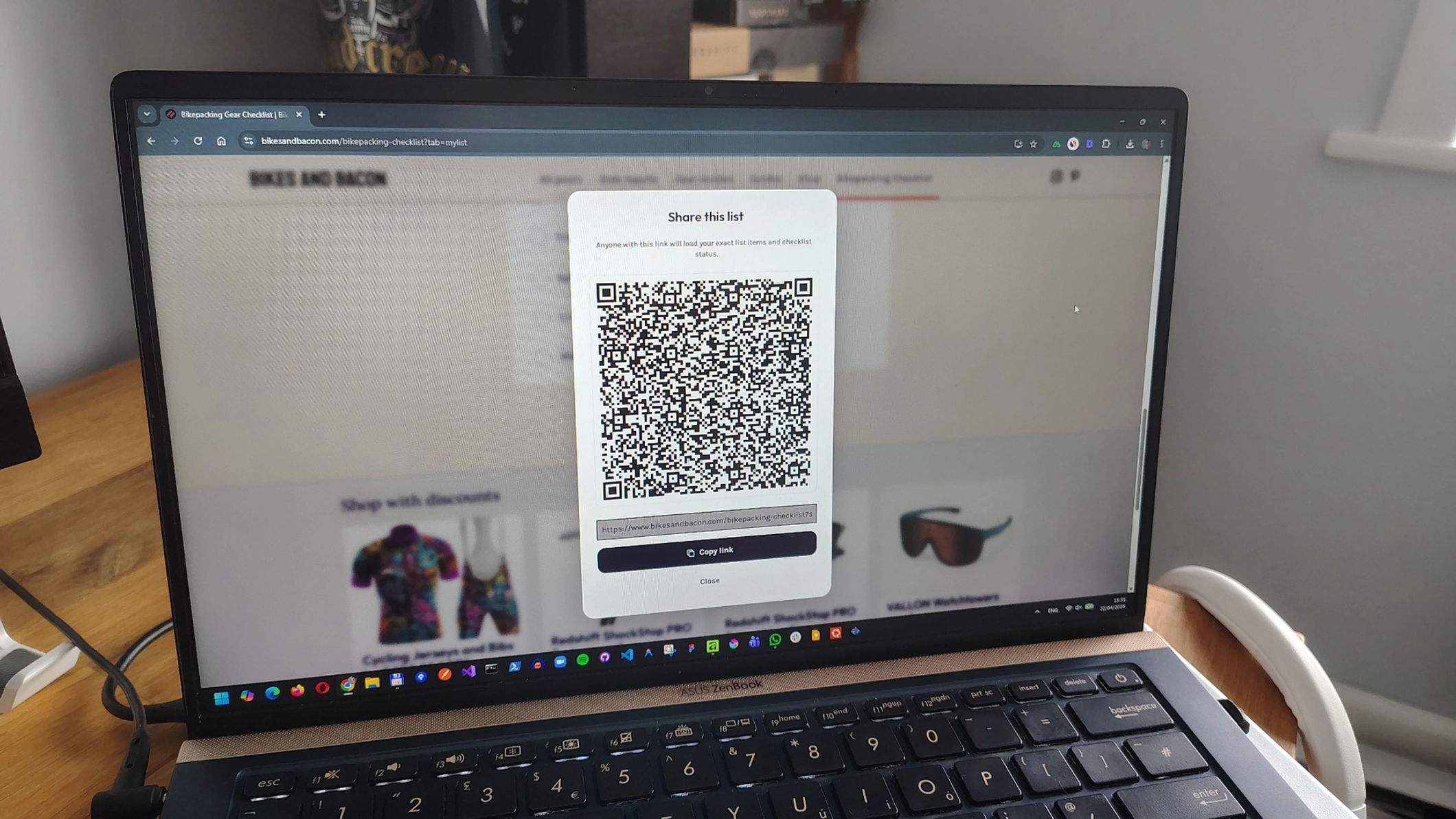
2. The “Desktop-to-Trail” sync (via QR code)
I prefer planning my trips on a big monitor where I can see everything at once. But when I'm actually in the garage stuffing bags, I need the list on my phone.
Our tool features a unique QR Sync. Start your list on your desktop, scan the QR code with your phone, and boom - your list follows you to the garage. No typing in long URLs or emailing yourself links.
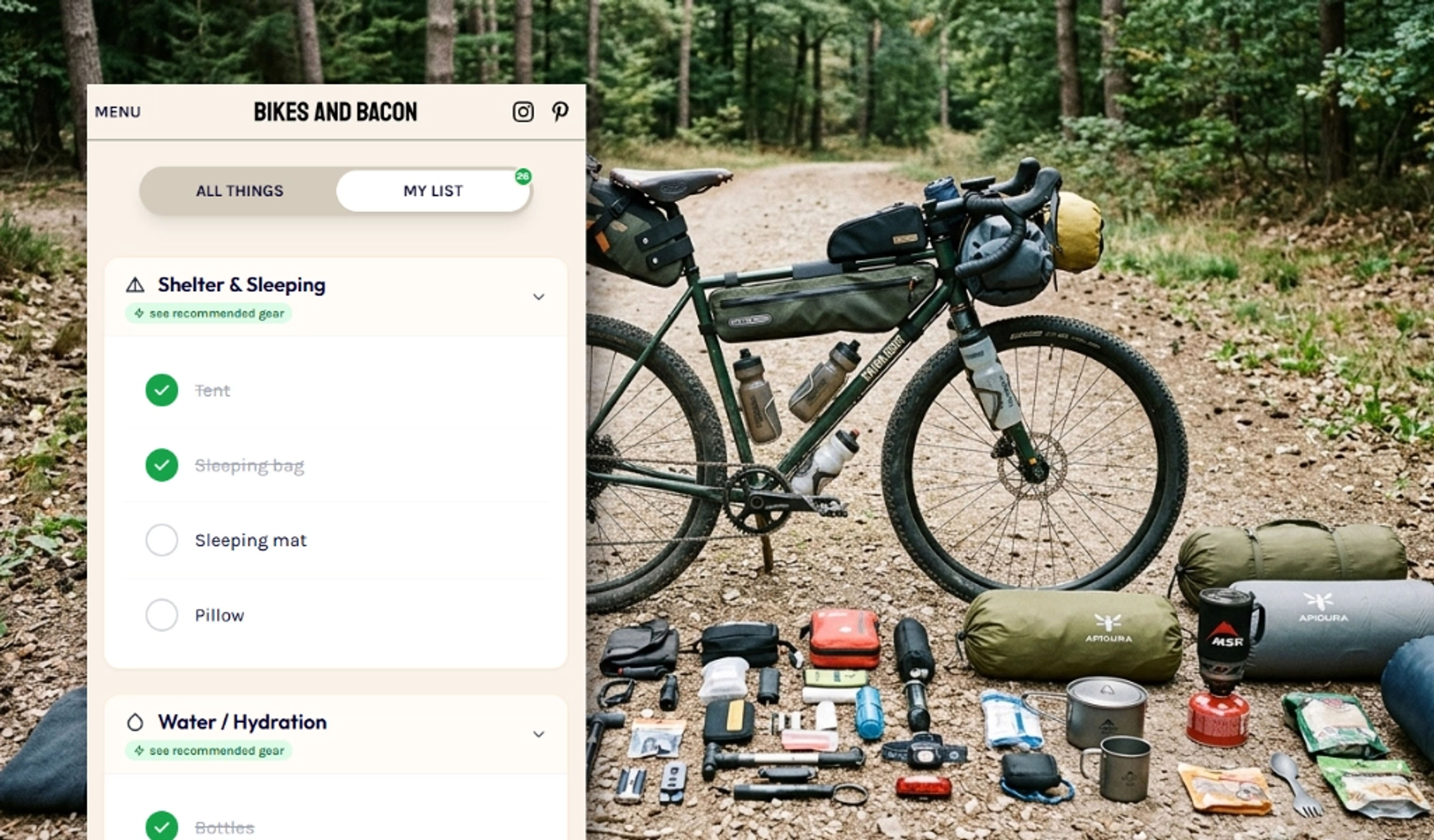
3. "All Things" vs. "My List"
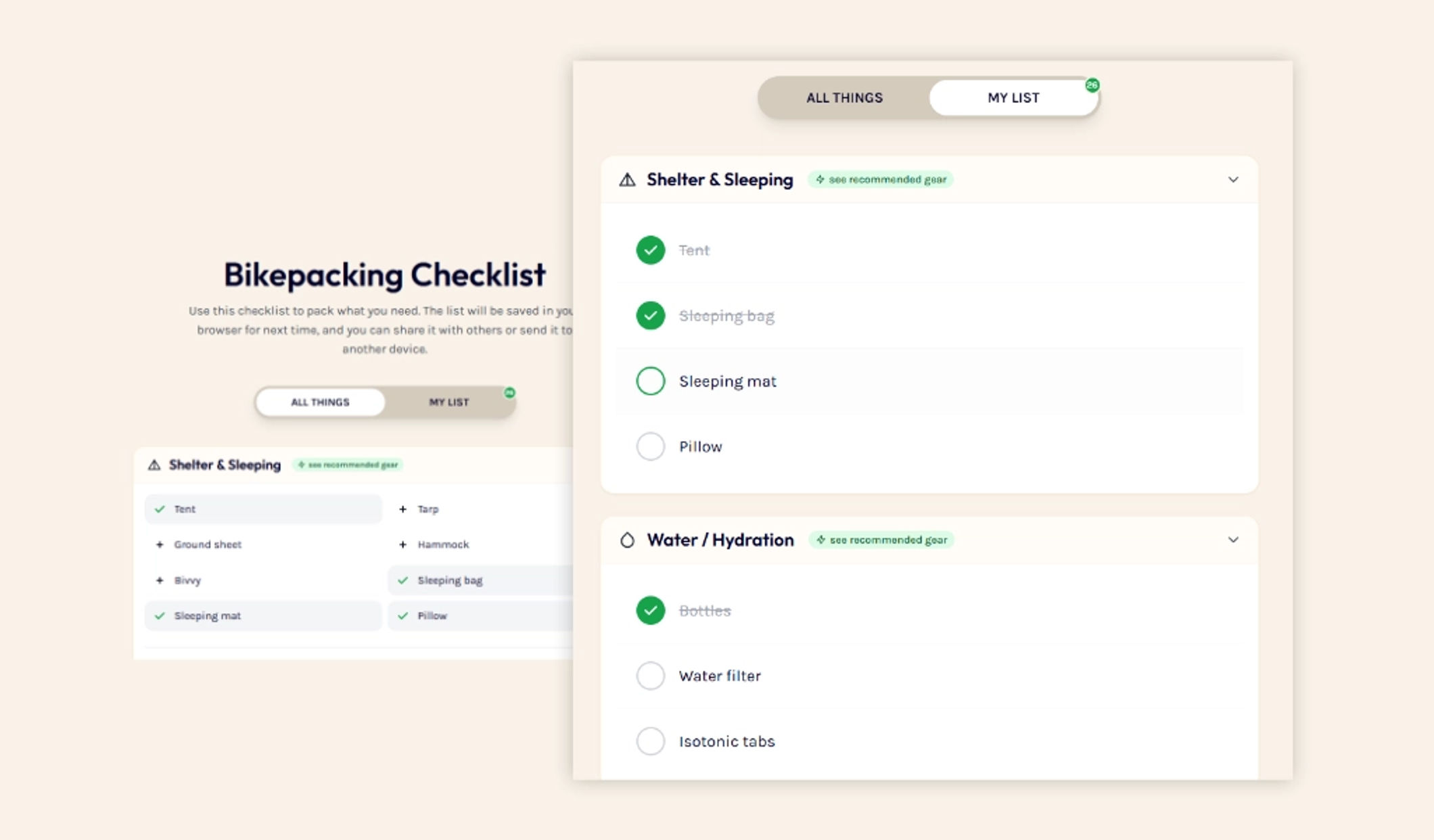
Organization is the secret sauce of a stress-free trip. The tool is split into two logical sections:
- All Things: A master library of gear categorized by Sleep System, Kitchen, Tools, and Clothing.
- My List: Simply click items from the master library to add them to your personal manifest. Once they are in "My List," you can tick them off as you physically pack them into your bags.
4. Curated gear recommendations
I'm obsessed with gear, but I hate overpaying. In the checklist, you'll find a Recommended Gear link.
If you're missing a piece of kit - like a lightweight stove or a durable frame bag - click that link. It leads to a curated selection of gear that I personally vouch for. These aren't just the most expensive options; they are the “forever gear” that offers the best quality-to-price ratio.

How to use the Checklist for your next adventure
- Head to the Bikepacking Checklist.
- Browse “All Things”: Tap the items you know you'll need for this specific trip (e.g., you might skip the heavy puffer jacket for a summer overnighter).
- Switch to “My List”: This is your active packing manifest.
- Scan and Go: Scan the QR code to move to your phone.
- Pack & Tick: As the item goes into the bag, tick the box. When the list is all green, you're ready to roll.
Final thoughts
Bikepacking shouldn't be about the stress of preparation; it should be about the sunrise and the gravel under your tires. Use this tool to take the guesswork out of your prep so you can focus on the ride.
Got a suggestion for the list? I'm constantly updating the master gear list with cost-effective, durable finds. Send a message if there's a “holy grail” piece of kit I'm missing!
Now try: Bikepacking Checklist